Free App Store Screenshot Templates (Browser Workflow, No Pack Download)
MockShot
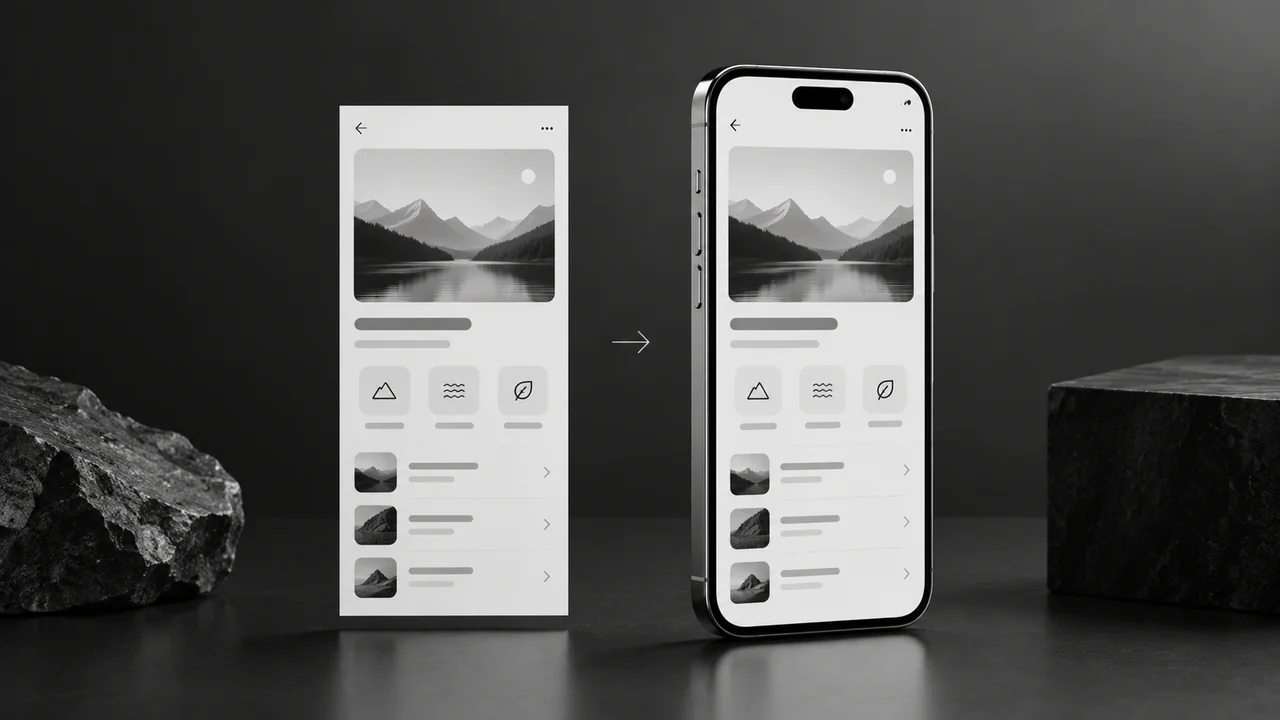
Honest take: MockShot has no downloadable Figma/Canva template pack. Use the free browser workflow instead — official canvas sizes, phone/iPad frames, unlimited 2D export.
Short answer: MockShot does not ship a downloadable Figma/Canva/PSD "App Store screenshot template" pack. What it does offer is a free browser workflow that replaces buying those packs for most indie teams: size the canvas to an official App Store class, drop device screenshots into phone or iPad frames (or export bare for the listing itself), then download unlimited 2D PNG/JPG/WebP/SVG stills as a guest. Soft start: open the editor.
People type "free App Store screenshot templates" when they want ready-made slides — headline, device, background — without paying for a marketplace kit. This post is honest about what MockShot is and is not, then shows the free path that usually gets you to the same finished listing art.
Facts below are as of November 6, 2026.
What "App Store screenshot templates" usually means
Three different products get lumped under that search:
- Static design packs — Figma, Sketch, PSD or Canva files with locked iPhone frames, text styles, and example backgrounds. You edit slides offline and export PNGs for App Store Connect.
- Online template marketplaces — pay-per-pack or subscription libraries that spit out store-sized images.
- Browser mockup / generator tools — you bring your own screenshots and copy; the tool supplies frames, canvas sizes, and export. MockShot is in this third bucket.
If you specifically need a .fig or .psd file to hand to a designer, MockShot will not give you that file. If you need store-sized creatives today without installing design software, the browser workflow below is the free alternative.
The free browser workflow (replaces most template packs)
- Read the pixel classes once — bookmark App Store screenshot sizes 2026 instead of retyping every resolution from memory. Official sizes change with new devices; that cheat sheet is the source of truth we maintain for listing uploads.
- Open MockShot Studio. No signup for unlimited 2D stills.
- Set the canvas to the App Store class you are filling (for example a 6.7" iPhone class or a 13" iPad class — use the sizes page, do not invent pixels).
- Decide framed vs bare:
- Bare / frameless — for the actual App Store Connect upload when you want a full-bleed UI or a designed marketing slide without a second bezel around a phone that already fills the slot.
- Phone or iPad frame — for marketing sites, social teasers, or slide decks that should look like a device. Companion tool page: App Store screenshot generator.
- Click the screen (or place the image on the canvas), import PNG/JPG/WebP captures from Simulator or device.
- Add headline text and background in your design tool of choice or keep the scene simple inside MockShot with a solid/gradient fill.
- Export PNG (transparency preserved), JPG (alpha → white), WebP or SVG. Open the file once and confirm dimensions before uploading to App Store Connect.
Guest drafts live only in the local browser. Export keepers before clearing site data.
Framed mockup vs listing upload — do not mix them up
| Asset | Use a device frame? | Notes |
|---|---|---|
| App Store Connect screenshot slot | Usually no extra bezel | Slot is already "phone-shaped"; a second frame wastes pixels and can look nested |
| Website / docs / press | Yes | Readers need chrome to understand scale |
| Social ads teasing the app | Yes | Small feeds need a recognizable device |
| Conversion examples / case studies | Either | See screenshots that convert |
Apple also has rules about transparency, correct size classes, and how many screenshots you need. When an upload fails, start with size and alpha — not with buying another template pack.
What you get free vs what needs Pro
| Capability | Free (guest OK) | Pro ($9.9/mo) / Lifetime ($199) |
|---|---|---|
| 2D stills PNG/JPG/WebP/SVG | Unlimited, no watermark | Same |
| Transparent PNG around a device | Yes | Yes |
| Phone frames through iPhone 15 Pro Max / Pixel 8 / Galaxy S24 Ultra | Yes | Yes |
| iPad, MacBook, Dell XPS, iMac, TV, Apple Watch frames | Yes | Yes |
| iPhone 16 / 17 frames | Not in catalog | Not in catalog |
| Browser-window frames | Not available | Not available |
| Downloadable Figma/Canva/PSD template packs | Not sold / not shipped | Not sold / not shipped |
| 3D stills | Watermarked | Watermark-free |
| 3D video | Preview only | Download |
So the honest pitch for "free App Store screenshot templates" is: free canvas + free device frames + free 2D export, not a free marketplace ZIP of FIG files.
A practical set of "templates" you can recreate in 10 minutes
You do not need a pack file to cover the usual indie listing set:
- Hero benefit — strongest screen, short headline above or beside the UI, brand color background, export at the required iPhone class size (see the sizes cheat sheet).
- Feature deep-dive — one job-to-be-done per slide; avoid cramming five icons into one frame.
- Social proof or workflow — before/after or three-step strip; keep text large enough for a phone SERP thumbnail.
- iPad class (if you ship iPad) — separate canvas; do not stretch an iPhone slide.
- Optional framed marketing twin — same UI inside an iPhone 15 Pro Max (or iPad) mockup for the website and Product Hunt, exported as a second file.
That five-slide set is what most paid "App Store template" kits give you. Building it in the browser keeps copy and screenshots under your control — no watermarked sample photos from a stock pack.
Conversion basics (so the free workflow still sells)
Templates do not convert; clear promises do. Short checklist borrowed from App Store screenshots that convert:
- Lead with the outcome, not the settings screen.
- One idea per slide.
- Text large enough to read at thumbnail size in search results.
- Real UI, not a fake redesign that App Review will compare to the binary.
- Match the size class Apple currently requires — when Duo or new classes appear, update the canvas; do not stretch old art.
FAQ
Does MockShot sell App Store screenshot templates?
No. There is no template marketplace and no PSD/FIG download. The product is an online editor with device frames and free 2D export.
Is there an App Store screenshot maker for free?
Yes in the generator sense: open Studio, size the canvas, place screenshots, export. Unlimited 2D stills work logged out.
Can I get iPhone 17 frames for my 2026 listing creatives?
Not yet — catalog phones stop at iPhone 15 Pro Max (plus Pixel 8 and Galaxy S24 Ultra). Use the closest available frame for marketing mockups; for Connect uploads, size to Apple's current required classes from the sizes guide rather than chasing a missing bezel.
Where do I look up exact pixels?
App Store screenshot sizes 2026. Prefer that living cheat sheet over copying numbers from an old blog post or a third-party pack README.
What about Google Play?
Different size rules and a Feature Graphic. Start from the Play size guides on this blog; the same editor workflow applies, still without a downloadable template ZIP.
If you came here looking for a free pack file, the substitute is simpler: bring your screenshots, set the official canvas size, export clean PNGs, and keep a framed twin for the website. Start in the editor when you are ready to build the first slide.